
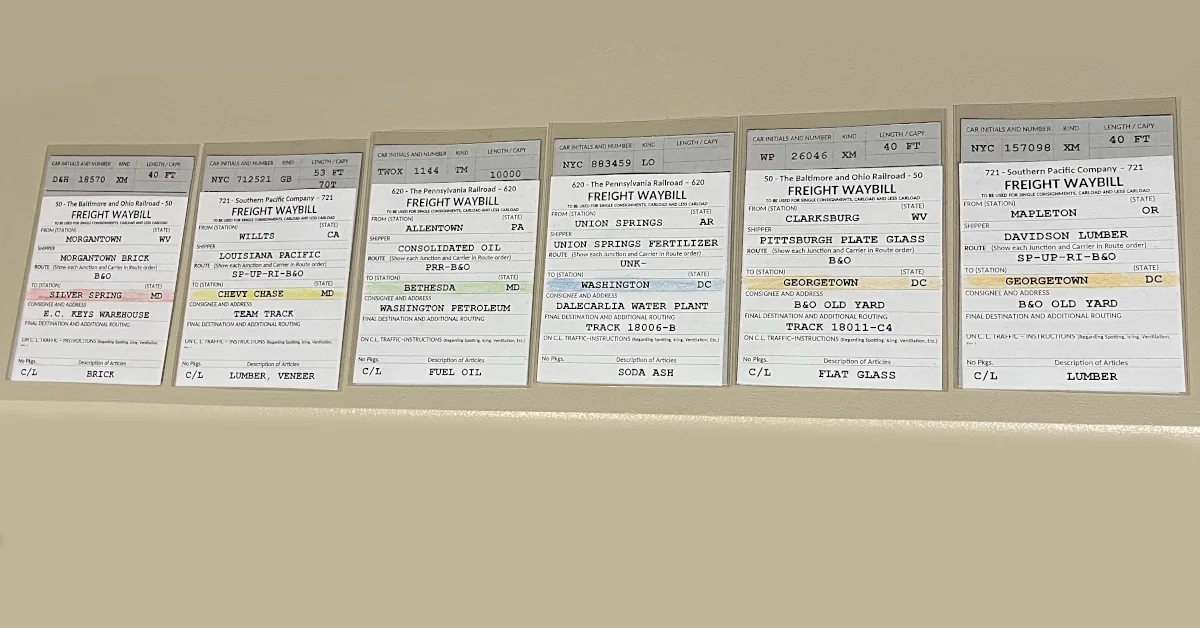
Operations on my layout have evolved from basic car cards and waybills, to switch lists, and now to what some call “prototype waybills”. Before I get too deep into this subject, let me state that “I consider prototype waybills to be an extension of the layout scenery” and nothing more.
My adventure with prototype waybills started when I was searching for an alternative to traditional car cards and waybills. I was never comfortable with how the smaller car cards stacked up in hand. The pack of cards was always thicker at the bottom because of the waybill pocket. This led me to baseball card sleeves and that’s when I landed on Tony Thompson’s blog about prototype waybills.
I spent days reading about the concept and in my eyes, it seemed like a good fit for my operations. If you read Tony’s blog you will discover several different ways to go about implementing this system. I have tried several variations and finally settled on a car card with the information printed at the top like traditional car cards and a separate semi prototypical waybill. The biggest compromise with this system is the car information is above the words FREIGHT WAYBILL.
On a prototype waybill the railroad name is at the top of the waybill. That name would change depending on what railroad created the waybill, regardless of the car’s name. Let’s say the Pennsylvania Railroad had an empty AT&SF boxcar sitting in one of its yards. The PRR could do one of two things.
- Route the car empty toward home, the Pennsylvania Railroad makes no money in that situation.
- Load the car with a load heading west. The Pennsylvania Railroad makes money, and the car is heading toward home.
In the second scenario that would result in a Freight Waybill with 620 – The Pennsylvania Railroad – 620 printed on the top of the waybill and assigned to the AT&SF car. As you can imagine that complicates the creation of prototype waybills.
Again, the railroad name at the top of the waybill is all scenery as far as moving your cars on the model railroad go, but the name would change.
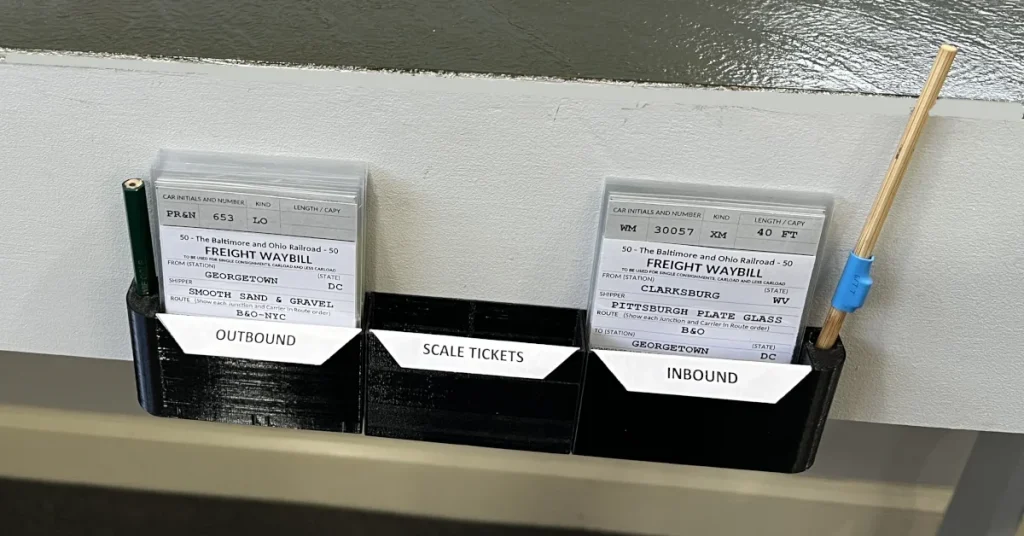
Prototype Waybill System
The system utilize clear baseball card protective sleeves to hold the car cards and waybills.
Much like traditional car card systems the car information at the top. Optionally you can print the word HOLD on the reverse side of the car card and eliminate the HOLD box on your layout. Because the cards lay flat it is easy to have 2, 3 or 4 waybills in each car card to create cycles around your layout.
I prefer to use a single sided waybill on white paper and use empty car bills on yellow paper.
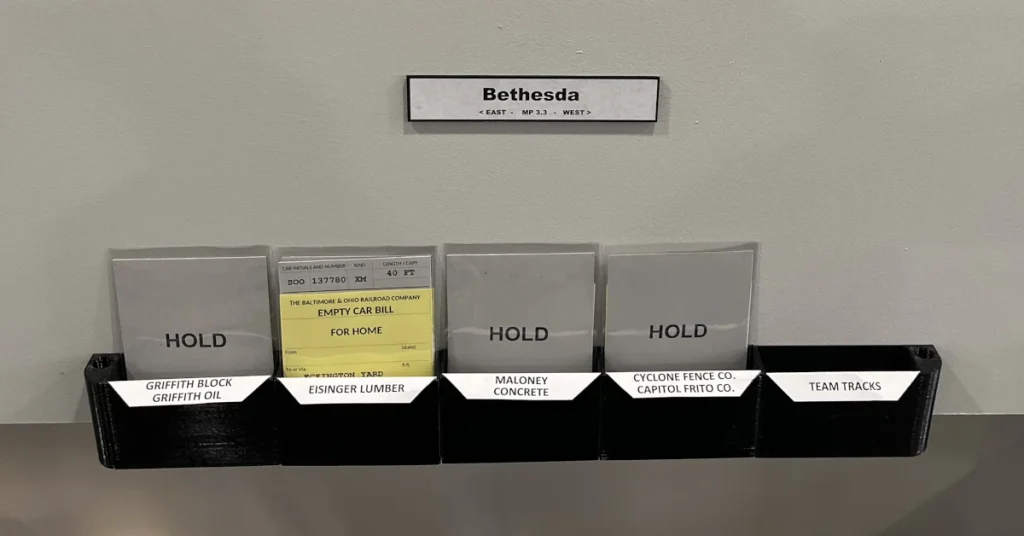
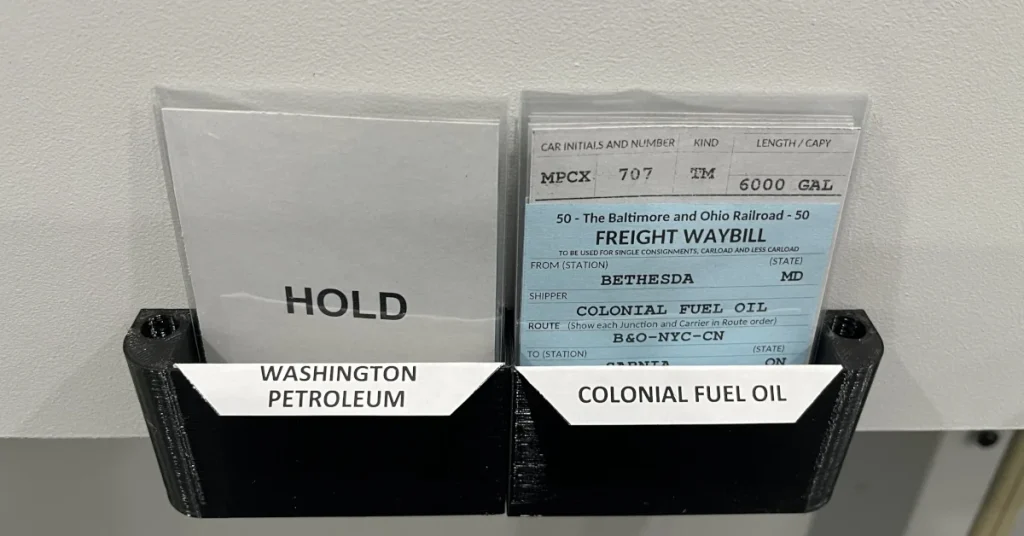
Some cars, like tank cars, require waybills in each direction because the car has residual product inside. For those situation I use a waybill printed on white paper in one direction and a waybill printed on blue paper for the return trip.
In this case an empty tank car of oil is returning empty from colonial fuel to the fuel distributor it originated from. So for this car it will have two waybills that stay in the car card sleeve because that car always goes to the same location on my layout.
For those who are interested in trying out this system I am making my spreadsheet available for download and would love to hear your feedback.
You can create Car Cards, Waybills, Empty Car Bills, Work Orders, and Engine Cards.
The spreadsheet was created with free open-source software, and will run on both Open Office and LibreOffice. The spreadsheet should also work with Excel and I am including a .xls version as well.


Leave a Reply